Introduction
Modern teams face a common set of operational challenges: scattered communications, missed deadlines, opaque workloads, and fragmented tool stacks. Digital work management platforms have shifted from optional operational aids to essential core infrastructure for startups, marketing agencies, software development teams, and global enterprises.
Choosing the right work management platform shapes daily team alignment, velocity, and execution. Selecting an ill-suited tool can lead to low adoption rates, administrative overhead, and wasted software expenditures. Conversely, implementing the ideal platform streamlines operations, reduces context switching, and accelerates project delivery.
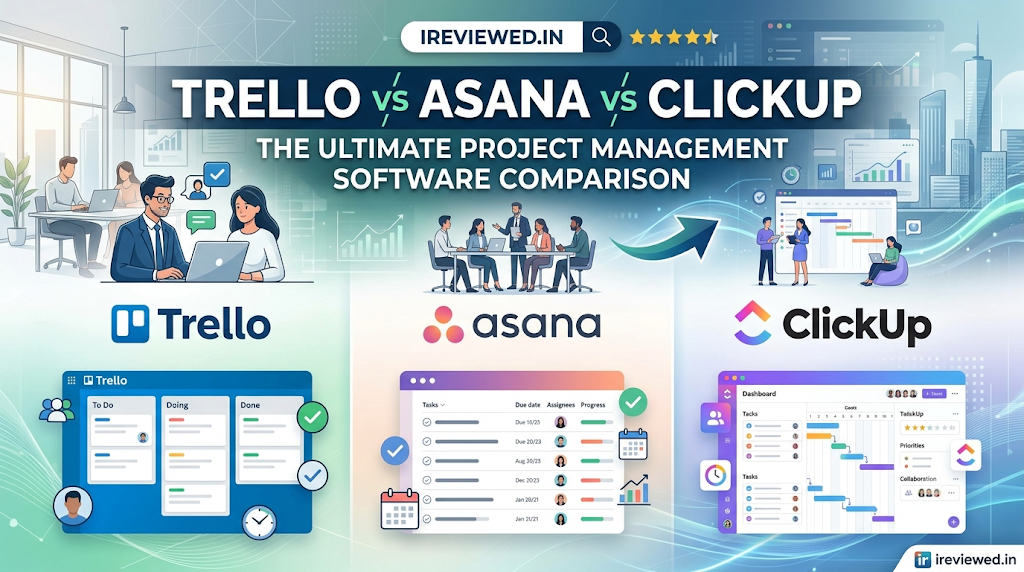
In this comprehensive Trello vs Asana vs ClickUp comparison review, iReviewed.in evaluates three leading platforms across core criteria: usability, features, pricing, workflow automation, team collaboration, scalability, and overall return on investment (ROI). Whether you are a solo freelancer organizing client deliverables or an operations leader scaling cross-functional teams, this unbiased guide provides actionable, data-backed insights to guide your decision.
What Is Project Management Software?
Project management software serves as a centralized digital workspace that enables teams to plan, organize, track, execute, and analyze work. Rather than relying on static spreadsheets, disparate email threads, and disconnected chat logs, these platforms consolidate tasks, timelines, documents, and communication into a single source of truth.
At its core, modern task management software provides:
- Visual Task Tracking: Organizing work into Kanban boards, lists, Gantt charts, timelines, and calendars.
- Resource Allocation: Managing team workloads, capacities, and project assignments.
- Process Automation: Streamlining repetitive manual triggers, status updates, and task assignments.
- Centralized Communication: Facilitating task-level comments, file attachments, @mentions, and real-time activity feeds.
Why Teams Need Project Management Tools
The global shift toward hybrid work, distributed operations, and agile methodologies has made dedicated team collaboration tools mandatory. Research into team productivity highlights clear trends across the modern workplace:
- Elimination of “Work About Work”: Studies show knowledge workers spend nearly 58% of their time on administrative tasks—such as chasing status updates, searching for files, and duplicating effort. Dedicated productivity management tools reduce administrative drag by up to 30%.
- Remote Work Coordination: Distributed teams require asynchronous visibility into project progress. Structured work management platforms maintain transparency across time zones without requiring constant status meetings.
- Workflow Automation Adoption: Over 70% of high-performing teams utilize workflow automation software to execute routine handoffs, decreasing human error and accelerating turnaround times.
- Data-Driven Governance: Executives require real-time reporting on portfolio health, resource bottlenecks, and budget utilization to make proactive strategic adjustments.
Evolution of Modern Work Management Platforms
Work management software has evolved through three distinct operational eras:
- Generation 1 (Visual Card Systems): Spearheaded by tools like Trello, this era prioritized intuitive visual design, replacing physical whiteboards with digital Kanban cards.
- Generation 2 (Structured Workspaces): Led by platforms like Asana, this phase introduced structured hierarchies, task dependencies, milestone tracking, and cross-departmental portfolio governance.
- Generation 3 (All-In-One Ecosystems & AI): Popularized by ClickUp, this modern generation merges tasks, documents, whiteboards, native time tracking, custom databases, and embedded AI assistants into a single unified operating system.
Overview of Trello
Trello (by Atlassian) pioneered lightweight, visual project organization using the classic Kanban methodology. Built around a simple structure of Boards, Lists, and Cards, Trello delivers a low-friction interface requiring virtually no onboarding time.
[ Workspace ]
    └── [ Board: Launch Campaign ]
          ├── [ List: To Do ] ────> [ Card: Write Copy ]
          ├── [ List: In Progress ] ─> [ Card: Design Assets ]
          └── [ List: Done ]
Trello excels at straightforward task tracking, personal productivity, and lightweight team workflows. While power users can expand its functionality via “Power-Ups” (integrations and add-ons) and Butler automation, Trello remains intentionally minimalist.
Overview of Asana
Asana is an enterprise-grade work management platform engineered to coordinate complex, cross-functional projects. It bridges high-level organizational goals with day-to-day execution through structured project hierarchies, timeline dependencies, and portfolio health monitoring.
[ Organization Goal: Expand Enterprise Market ]
    └── [ Portfolio: Q3 Product Initiatives ]
          └── [ Project: Mobile App v2.0 ]
                ├── [ Section: Frontend Engineering ]
                │     └── [ Task: Build Dashboard ] ──> [ Subtask / Dependency ]
                └── [ Section: QA Testing ]
Asana focuses on clarity and accountability, offering robust workflow builders, workload management tools, and goal-tracking frameworks that suit growing mid-market and enterprise organizations.
Overview of ClickUp
ClickUp markets itself as an all-in-one app designed to replace disconnected productivity software. It provides a feature-dense platform combining task management, whiteboards, docs, spreadsheets, mind maps, native time tracking, and custom dashboards into a fully customizable hierarchy.
[ Workspace ]
    └── [ Space: Marketing ]
          └── [ Folder: Content Strategy ]
                └── [ List: Blog Production ]
                      ├── [ Task: Trello vs Asana Review ]
                      ├── [ Embedded Doc: Style Guide ]
                      └── [ Whiteboard: Brainstorming ]
ClickUp caters to teams that require granular customization, advanced automation, and native document/task consolidation without relying on third-party integrations.
Key Factors to Consider Before Choosing a Tool
Evaluating Trello vs Asana vs ClickUp requires assessing critical operational vectors:
- Team Collaboration and Productivity: Evaluates how team members share updates, review assets, assign responsibilities, and maintain momentum.
- Workflow Automation and Efficiency: Assesses how effectively each tool automates repetitive tasks, status changes, notification routes, and external webhooks.
- Scalability for Growing Businesses: Measures how workspace structures perform as user counts, project volumes, and data complexity expand.
- Security and Data Management: Examines enterprise security standards, permissions controls, SOC 2 compliance, single sign-on (SSO), and data residency options.
- Mobile and Remote Work Experience: Reviews functional parity across mobile apps (iOS/Android), offline access, and notification management for distributed teams.
- Future of AI-Powered Project Management: Analyzes embedded AI tools capable of summarizing discussions, writing copy, generating subtasks, and surfacing project risks automatically.
Trello vs Asana vs ClickUp: Head-to-Head Comparison
1. Ease of Use, User Interface & Learning Curve
- Trello: Offers an intuitive interface. Users can launch a functional board in minutes with zero formal training.
- Asana: Strikes a balance between depth and simplicity. Its clean, modern layout organizes complex projects clearly, requiring minimal onboarding.
- ClickUp: Features an extensive list of toggles, views, and settings. While powerful, its feature density creates a steeper learning curve for non-technical teams.
2. Task Management & Project Views
- Trello: Focuses primarily on Kanban boards. Premium tiers unlock Timeline, Calendar, Dashboard, Table, and Map views.
- Asana: Excels at flexible task visualization, allowing seamless switching between List, Board, Timeline (Gantt), and Calendar views with dependency tracking.
- ClickUp: Leads in view versatility, offering over 15 native views, including List, Board, Gantt, Calendar, Workload, Mind Maps, Whiteboards, Doc views, and Map views.
3. Collaboration & Communication Features
- Trello: Provides card comments, @mentions, basic member assignments, and attachment sharing.
- Asana: Features structured task conversations, project status updates, team messages, and approval workflows with document proofing.
- ClickUp: Offers an integrated collaboration suite, featuring live co-editing docs, real-time whiteboards, integrated chat channels, video clips recording, and task comment threads.
4. Workflow Automation Capabilities
- Trello: Employs Butler Automation, using a natural-language rule builder for triggers, buttons, and scheduled commands.
- Asana: Provides a visual Workflow Builder to construct multi-step custom rules across external integrations like Slack and Gmail.
- ClickUp: Delivers an advanced automation engine with conditional logic, custom webhooks, multi-step actions, and trigger combinations.
5. Reporting, Analytics & Resource Management
- Trello: Provides basic dashboard reporting widgets on paid tiers, relying mostly on third-party Power-Ups for advanced reporting.
- Asana: Features portfolio health management, goal tracking (OKRs), real-time dashboards, and Workload views to prevent team burnout.
- ClickUp: Includes customizable widget dashboards, native time tracking, estimated vs. actual duration logs, sprint velocity charts, and resource workload allocation tools.
6. Integrations & Customization
- Trello: Extends utility through its Power-Up ecosystem, integrating with Jira, Slack, Google Drive, and Zapier.
- Asana: Offers over 200 native integrations, including deep connections with Salesforce, Tableau, Power BI, Slack, and Microsoft Teams.
- ClickUp: Provides extensive native customization options (Custom Fields, Custom Statuses, Task Types) and native integrations alongside Zapier/Make connections.
7. AI Features
- Trello: Offers Atlassian Intelligence to draft text, summarize card activity, and search across workspace content.
- Asana: Integrates Asana AI to draft project updates, generate task summaries, formulate smart fields, and highlight project risks.
- ClickUp: Includes ClickUp Brain, an embedded AI assistant that writes content, generates subtasks, answers workspace queries, and automates status reports.
Comprehensive Comparison Tables
Table 1: Core Feature Comparison
| Feature Vector | Trello | Asana | ClickUp |
|---|---|---|---|
| Primary Methodology | Visual Kanban Boards | Structured Work Management | All-in-One Productivity OS |
| Native Views Available | Board, List, Timeline, Calendar, Table, Map | List, Board, Timeline, Calendar, Portfolio | 15+ views (Gantt, Mind Map, Whiteboard, Docs, Workload) |
| Task Dependencies | Basic (via Power-Ups/Checklists) | Advanced Timeline Dependencies | Advanced Conditional Dependencies |
| Native Time Tracking | No (Requires Power-Up) | Yes (Advanced plans) | Yes (Built-in across all tiers) |
| Native Documents | No (Card descriptions only) | Project Briefs & Notes | Full-featured live co-editing Docs |
| Workload Management | Limited Dashboard widgets | Advanced Portfolio Workload | Native Workload & Capacity Planning |
Table 2: Pricing & Plan Structure (Billed Annually)
| Plan Tier | Trello | Asana | ClickUp |
|---|---|---|---|
| Free Tier | Free (10 boards/workspace, 10 collaborators) | Free Personal (Up to 2 users, basic views) | Free Forever (60MB storage, unlimited members) |
| Entry Paid Tier | Standard: $5.00 / user / month | Starter: $10.99 / user / month | Unlimited: $7.00 / user / month |
| Mid/Advanced Tier | Premium: $10.00 / user / month | Advanced: $24.99 / user / month | Business: $12.00 / user / month |
| Enterprise Tier | Enterprise: $17.50 / user / month | Custom Pricing | Custom Pricing |
Table 3: Automation Capabilities Comparison
| Automation Feature | Trello (Butler) | Asana (Workflow Builder) | ClickUp Automation Engine |
|---|---|---|---|
| Setup Interface | Natural Language Rule Generator | Visual Graphical Drag-and-Drop | Trigger-Condition-Action Logic Builder |
| Monthly Executions | 250 (Free) to Unlimited (Enterprise) | Unlimited on paid tiers | 100 (Free) to 10,000+ (Business) |
| Multi-Step Logic | Moderate | Advanced | Highly Complex / Multi-Branching |
| External Webhooks | Supported via Power-Ups | Supported via Apps/Integrations | Supported natively |
Table 4: Collaboration Features Comparison
| Collaboration Tool | Trello | Asana | ClickUp |
|---|---|---|---|
| Task Comments & @Mentions | Yes | Yes | Yes |
| Real-Time Canvas/Whiteboard | Third-party Power-Up | Third-party Integration | Native Whiteboards & Mind Maps |
| Proofing & Approvals | Basic | Native Proofing & Approval tasks | Native Proofing & Annotation |
| Built-in Chat Channels | No | Project Messages | Dedicated Chat View & Channel Feeds |
Table 5: Best Use Cases Comparison
| Team Profile | Primary Choice | Secondary Option | Why? |
|---|---|---|---|
| Freelancers & Solopreneurs | Trello | ClickUp (Free/Unlimited) | Simple setup, visual layout, low cost. |
| Growing Startups | ClickUp | Trello | All-in-one feature set reduces app fatigue. |
| Mid-to-Large Marketing Teams | Asana | ClickUp | Strong timeline dependencies and approval workflows. |
| Product & Software Teams | ClickUp | Asana | Native Sprints, backlogs, and Mind Maps. |
| Cross-Functional Enterprises | Asana | ClickUp (Enterprise) | Portfolio health, goal tracking, security compliance. |
Table 6: Pros and Cons Comparison
| Tool | Core Pros | Core Cons |
|---|---|---|
| Trello | • Ultra-low learning curve • Highly visual Kanban boards • Fast card setup & Butler automation | • Limited native views without upgrades • Struggles with complex project dependencies • Lacks native time tracking & documents |
| Asana | • Clean, organized interface • Superior Gantt timelines & dependencies • Robust portfolio reporting & goals | • Higher per-user cost • Restrictive 2-user free plan limit • Limited customization on lower tiers |
| ClickUp | • Exceptional feature density per dollar • Consolidated docs, tasks, time tracking, & AI • Deep hierarchy & layout customization | • Steep learning curve for non-tech users • Potential interface clutter and friction • Advanced features locked behind Business tier |
Table 7: Scalability Comparison
| Dimension | Trello | Asana | ClickUp |
|---|---|---|---|
| Small Teams (1–10) | Excellent | Good (Costly on Starter) | Excellent (High feature value) |
| Mid-Market (10–100) | Fair (Requires many Power-Ups) | Excellent (Strong governance) | Excellent (Business tier capabilities) |
| Enterprise (100+) | Fair (Limited portfolio views) | Outstanding (Enterprise security/goals) | Very Good (Enterprise security/SSO) |
Real-World Practical Use Cases
1. Marketing Campaign Launch
- Trello: Organize stages as board lists (
Ideas→Copywriting→Design→Published). Cards hold brief attachments and checklist items. - Asana: Manage multi-channel launches using Timeline view to map campaign milestones, establish task dependencies (e.g., design dependent on copy approval), and track asset reviews.
- ClickUp: Centralize campaign briefs, landing page copy, and creative feedback within live ClickUp Docs, track task progress, and view team capacity on Workload charts.
2. Software Development Sprints
- Trello: Manage basic agile tasks using Kanban swimlanes for
Backlog,In Dev,Code Review, andDeployed. - Asana: Map product roadmaps, organize tasks into sprints, link issues, and track development goals alongside cross-functional launch plans.
- ClickUp: Track agile development with native Sprints, track sprint velocity and burn-down charts, convert bug reports into actionable tasks, and manage code documentation natively.
3. Client & Agency Operations
- Trello: Create dedicated client boards to share external progress using simple, drag-and-drop cards.
- Asana: Monitor agency portfolios across multiple clients, manage project approvals, and present executive status updates using Portfolios and Dashboards.
- ClickUp: Structure clients into distinct Workspaces and Folders, utilize guest permissions, track billable hours natively, and issue client-facing dashboard reports.
Advantages of Trello
Trello remains an ideal solution for visual task organization. It provides a low-barrier platform for teams seeking straightforward project tracking without unnecessary administrative complexity.
- Unmatched Simplicity: Minimal setup time allows teams to start managing projects immediately.
- Visual Kanban Efficiency: The drag-and-drop card architecture gives instant visibility into project stages.
- Frictionless Onboarding: Non-technical users require virtually no training, maximizing platform adoption across departments.
- Butler Automation: Automate routine actions using intuitive natural language triggers without writing code.
Advantages of Asana
Asana is a leading enterprise work management platform for mid-sized to large organizations. It excels at cross-functional coordination, portfolio oversight, and structured task execution.
- Structured Hierarchy & Governance: Clearly connects company goals (OKRs) to daily operational tasks.
- Advanced Timeline & Dependency Management: Visual Gantt charts ensure critical path items and project bottlenecks are managed proactively.
- Portfolio Health & Workload Management: Monitors team capacity across projects to balance workloads and prevent burnout.
- Enterprise Security & Compliance: Trusted by major global enterprises for its data governance, admin permissions, and compliance standards.
Advantages of ClickUp
ClickUp provides exceptional value for teams seeking a consolidated productivity workspace. It offers extensive customization, feature depth, and integrated documentation.
- All-in-One Productivity Hub: Consolidates task management, docs, whiteboards, time tracking, and chat into a single ecosystem.
- Extensive Feature Customization: Tailor statuses, custom fields, task types, and views to match complex team workflows.
- Feature-to-Price Ratio: Delivers native time tracking, mind maps, workload views, and dashboards on competitive entry-level tiers.
- Embedded AI Capabilities: ClickUp Brain automates task creation, content drafting, workspace searches, and status reporting natively.
Trello vs Asana vs ClickUp for Different Users
- Freelancers: Trello or ClickUp (Free/Unlimited). Trello provides low-overhead visual boards, while ClickUp consolidates time tracking and client notes into one app.
- Startups: ClickUp. Startups gain access to docs, task tracking, whiteboards, and sprint management without paying for separate SaaS subscriptions.
- Small Businesses: Trello (for basic workflows) or Asana Starter (for structured growth).
- Marketing Teams: Asana. Provides strong campaign timeline management, asset approval workflows, and multi-department coordination.
- Agencies: ClickUp or Asana. ClickUp provides guest access, native time tracking, and folder hierarchies per client. Asana offers clear portfolio health monitoring for high-volume accounts.
- Product Teams: ClickUp. Offers native agile Sprints, feature backlogs, roadmaps, whiteboards, and dev docs.
- Large Enterprises: Asana. Provides enterprise governance, goal-tracking frameworks, security compliance, and reliable cross-departmental coordination.
- Remote Teams: ClickUp or Asana. Both platforms support asynchronous communication through threaded updates, status reporting, and shared documentation.
Which Tool Offers the Best Value?
Evaluating value depends on your team’s size, operational complexity, and tool consolidation goals:
- Best Free Value: ClickUp Free Forever provides unlimited members and a broad feature set, though storage is capped at 60MB. Trello Free allows up to 10 boards per workspace with unlimited cards. Asana Personal is limited to 2 users, making it primarily suitable for individuals or pair workflows.
- Best Value Billed Annually (SMBs): ClickUp Unlimited ($7/user/mo) offers extensive feature density per dollar, including native time tracking, mind maps, and unlimited storage.
- Best Value for Scaled Enterprises: Asana Starter ($10.99/user/mo) and Advanced ($24.99/user/mo) offer strong long-term ROI by improving portfolio execution, reducing administrative overhead, and maintaining cross-functional alignment.
Project Management Software Selection Checklist
Before finalizing your software decision, review this decision framework:
- Assess Operational Complexity: Do you need simple visual card sorting (Trello), structured dependencies (Asana), or custom database flexibility (ClickUp)?
- Evaluate Technical Literacy: Will non-technical team members adapt to a feature-dense platform (ClickUp), or do they need an approachable interface (Trello / Asana)?
- Map Necessary Features: Identify mandatory features such as native time tracking, Gantt charts, live documentation, or portfolio dashboards.
- Calculate Total Cost of Ownership: Account for per-seat costs, necessary add-ons, implementation effort, and potential savings from consolidating redundant tools.
- Test Team Adoption: Run a 14-day trial with a pilot team across real-world workflows before committing to annual enterprise contracts.
Why Readers Trust iReviewed.in Software Reviews
At iReviewed.in, our software evaluations are grounded in hands-on testing, technical analysis, and unbiased research.
Our testing methodology includes:
- Hands-On Workspace Testing: We build real-world marketing campaigns, software sprint backlogs, and agency workflows across every reviewed platform.
- Objective Feature Audits: We evaluate features based on performance, usability, setup complexity, and functional depth—rather than relying on marketing claims.
- Independent Analysis: Our recommendations are fully unbiased, prioritizing genuine user value, long-term ROI, and practical business utility.
Frequently Asked Questions (FAQs)
Which project management software is easiest for beginners to learn? Trello is widely considered the easiest project management tool to learn due to its simple visual Kanban board design, intuitive drag-and-drop interface, and minimal setup requirements.
Can ClickUp really replace separate tools like Google Docs, Slack, and Toggl? Yes, ClickUp includes native live Docs, real-time whiteboards, native time tracking, and internal chat views, allowing many teams to consolidate several software subscriptions into a single platform.
Why is Asana more expensive than Trello and ClickUp? Asana invests heavily in high-level governance, visual timeline dependencies, portfolio management, and enterprise-grade security tools tailored for cross-functional teams and mid-to-large organizations.
What are the main limitations of Trello’s free plan? Trello’s free tier caps workspaces at 10 boards, restricts file attachments to 10MB per file, limits monthly Butler automation runs to 250, and excludes advanced views like Timeline and Gantt charts.
Does Asana offer a fully free plan for small teams? Asana offers a Free Personal tier, but it is capped at a maximum of 2 users, making it suitable primarily for individual freelancers or tiny pair projects.
Which tool is best for managing agile software development teams? ClickUp is highly regarded for agile development because it includes native Sprints, backlogs, velocity charts, custom task statuses, and integrated technical documentation.
How do AI features differ across Trello, Asana, and ClickUp? ClickUp Brain offers embedded assistant capabilities across docs and tasks. Asana AI focuses on status reports, field generation, and risk identification. Trello relies on Atlassian Intelligence for content generation and card summaries.
Can I migrate data easily between Trello, Asana, and ClickUp? Yes, all three platforms offer native CSV import/export features and built-in automated migration wizards to import projects directly from competing platforms.
Which project management platform is best for remote teams working asynchronously? Both Asana and ClickUp excel for remote teams. They offer structured task comment threads, video message recordings, detailed activity histories, and transparent project updates.
Are these project management tools secure for enterprise data? Yes, all three tools maintain high enterprise security standards, including SOC 2 Type II compliance, TLS/AES encryption, single sign-on (SSO) integration, and configurable admin permission settings on higher tiers.
Conclusion
Selecting the ideal project management software depends on matching a platform’s operational architecture to your team’s specific structure, technical maturity, and workflow requirements. Trello stands out as the best option for freelancers, small teams, and non-technical departments that demand an intuitive, visual Kanban layout with immediate onboard usability and zero setup complexity. Asana is the premier choice for mid-sized organizations and scaling enterprises that require robust cross-functional coordination, complex task dependency management, and high-level portfolio oversight to maintain organizational alignment. Meanwhile, ClickUp offers the most versatile all-in-one ecosystem for startups, product development teams, and agencies looking to maximize feature value by consolidating tasks, live documents, whiteboards, time tracking, and advanced custom automations into a single platform. Ultimately, teams should leverage free tiers or trial periods to test real-world workflows, ensuring their final choice balances long-term scalability with widespread daily adoption.