Introduction
When looking for a high-end wearable, consumers almost always narrow their choices down to two major industry standards: the Apple Watch and the Samsung Galaxy Watch. Both wearable families dominate the consumer electronics market, offering stunning displays, smooth performance, and robust fitness companionships.
However, they belong to entirely different software and hardware ecosystems. Choosing the right device depends heavily on your smartphone, how often you want to charge your watch, and which health metrics matter most to your daily routine. This guide by IREVIEWED.IN delivers an unbiased, detailed comparison to help you navigate your options with confidence.
Apple Watch vs Galaxy Watch: An Overview
The Apple Watch family, featuring models like the Apple Watch Series 10, runs watchOS and is built strictly for the iOS ecosystem. It is widely recognized for its seamless app integration, responsive haptics, and accurate health sensors.
On the other side, the Samsung Galaxy Watch series—anchored by the Galaxy Watch 7—runs Wear OS powered by Samsung. It brings a classic circular aesthetic, deep Android integration, and advanced wellness features to users across most modern Android phones.
Design and Build Quality
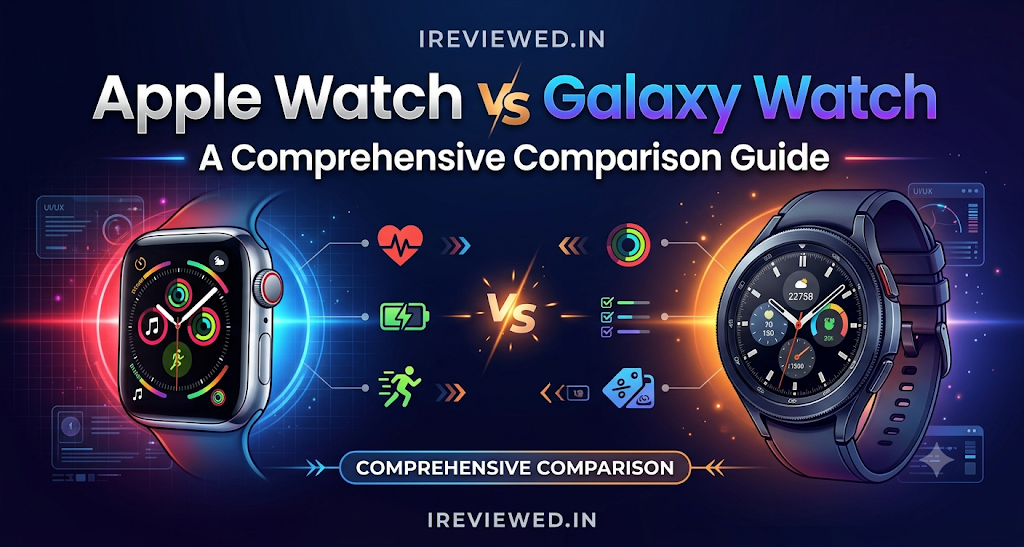
Design preferences often dictate a buyer’s immediate preference between these two wearable lines.
- Apple Watch: Features an iconic rectangular form factor with curved edges and thin bezels (notably refined on the Series 10). It uses lightweight aluminum or rugged titanium cases, protected by Ion-X glass or sapphire crystal.
- Galaxy Watch: Keeps a traditional circular watch aesthetic that mimics classic analog timepieces. It comes in armor aluminum or titanium builds with sapphire crystal displays.
Both styles offer exceptional water resistance (up to 50 meters or IP68 ratings), making them safe for swimming, heavy sweat, and outdoor workouts.
Smartphone Compatibility and Ecosystem
Smartphone compatibility serves as the ultimate dividing line between these two devices.
- Apple Watch Requirements: Requires an iPhone (iPhone Xs or later running iOS 18 or newer). It does not support Android devices at all.
- Galaxy Watch Requirements: Compatible with modern Android smartphones (Android 10 or higher). However, features like ECG and blood pressure monitoring require a Samsung Galaxy smartphone to unlock their full utility. Galaxy Watches do not support iOS.
Health and Fitness Tracking
Both watches function as comprehensive wellness trackers, though their metrics and data presentations differ.
- Heart Rate and Sleep: Both offer continuous heart rate monitoring, irregular rhythm alerts, and sleep stage tracking.
- Advanced Sensors: Models from both lines feature electrical heart sensors for ECG measurements and body temperature tracking. Samsung also includes a Bioelectrical Impedance Analysis (BIA) sensor for body composition checks.
- Safety Features: Apple features automatic Fall Detection and Crash Detection, while Samsung includes fall detection and emergency SOS shortcuts.
Note: Health measurements and sensor readings are lifestyle indicators and should not substitute professional medical diagnoses.
Battery Life and Charging
Battery endurance remains a major differentiator in daily usability.
- Apple Watch: Advertises up to 18 hours of normal usage (or up to 36 hours in Low Power Mode). Fast-charging support allows a quick top-up of up to 80% in about 30 minutes. Daily charging is typically required.
- Galaxy Watch: Delivers roughly 30 to 40 hours of battery life depending on the model size and Always-On Display settings. It also supports magnetic fast charging.
Software, Apps, and Smart Features
- watchOS: Offers arguably the most polished app ecosystem on the wrist, featuring fluid animations, great third-party app support, and intuitive gesture controls.
- Wear OS (One UI Watch): Provides deep Google integration (Google Maps, Google Wallet, Play Store) alongside Samsung’s proprietary health suite and smart home controls.
Performance and Everyday Use
Both smartwatches feature powerful custom processors (such as Apple’s S10 SiP and Samsung’s Exynos W1000) that ensure stutter-free navigation, instant app loading, and reliable Bluetooth calling via built-in speakers and microphones. Neither device feels sluggish in daily operation.
Apple Watch vs Galaxy Watch Comparison Table
| Feature | Apple Watch (Series 10) | Samsung Galaxy Watch (Watch 7) |
|---|---|---|
| Smartphone compatibility | iPhone only (iOS 18+) | Android 10+ (Best with Samsung) |
| Operating system | watchOS 11 | Wear OS 5 (One UI Watch) |
| Design | Rectangular case | Circular case |
| Health tracking | ECG, Vitals, Sleep Apnea alerts | ECG, BIA body composition, Sleep tracking |
| Fitness tracking | Activity Rings, Workout app, Dual-band GPS | Multi-sport modes, dual-band L1+L5 GPS |
| Battery life | Up to 18 hours | Up to 30–40 hours |
| Charging | Magnetic fast charging | WPC-based wireless fast charging |
| Apps and customization | App Store (watchOS) | Google Play & Galaxy Store |
| Payments | Apple Pay | Samsung Wallet / Google Wallet |
| Price (India) | Starts from ₹46,900 (Aluminium GPS) | Starts from ₹29,999 (Bluetooth 40mm) |
| Best suited for | iPhone owners | Android and Galaxy phone owners |
Price and Value for Money
Pricing varies across configurations, sizes, and connectivity options:
- Apple Watch Series 10: Base 42mm aluminium GPS variant starts around ₹46,900, while cellular models scale higher.
- Samsung Galaxy Watch 7: Base 40mm Bluetooth variant starts around ₹29,999, with LTE options priced higher.
Prices reflect official launch brackets in the Indian market and fluctuate based on seasonal retail discounts and bank offers. Both options offer solid value within their respective ecosystems, though Samsung provides a lower entry price point for base Bluetooth models.
Pros and Cons of Apple Watch
Pros
- Premium build quality with industry-leading display brightness.
- Exceptionally smooth app ecosystem and haptic feedback.
- Robust safety suite (Fall Detection, Crash Detection).
- Seamless synchronization with Apple Health and iOS.
Cons
- Restricted entirely to iPhone users.
- Requires daily battery charging for standard usage.
- High starting price points for cellular and titanium models.
Pros and Cons of Samsung Galaxy Watch
Pros
- Classic circular design language.
- Advanced health suite including BIA body composition analysis.
- Dual-band L1+L5 GPS for accurate outdoor mapping.
- Lower entry pricing compared to flagship Apple alternatives.
Cons
- Complete incompatibility with iOS devices.
- Certain advanced health features (like ECG) require a Samsung phone.
- Battery life is better than Apple but still requires regular recharges.
Which Smartwatch Is Best for Different Users?
- iPhone Owners: The Apple Watch is the undisputed choice due to absolute ecosystem synergy.
- Samsung Galaxy Owners: The Galaxy Watch 7 unlocks specialized health tools and tight hardware matching.
- Fitness Enthusiasts: Both handle workouts well, but users focused on outdoor running maps benefit from the dual-band GPS on both flagship models.
- Budget-Conscious Buyers: Samsung’s lower baseline pricing offers strong value for Android users.
How to Choose Between Apple Watch and Galaxy Watch
- Smartphone Compatibility: Check your phone first; cross-platform pairing is not supported.
- Budget: Compare base entry prices in local currency.
- Design Preference: Decide whether you prefer a modern rectangular screen or a classic circular dial.
- Health Metrics: Pick the sensor suite that matches your personal wellness goals.
- Battery Tolerance: Assess how often you are willing to place your watch on a charger.
Frequently Asked Questions (FAQs)
1. Which is better, Apple Watch or Galaxy Watch?
Neither is universally better; the right choice depends strictly on your smartphone. Apple Watch leads the iOS experience, while Galaxy Watch dominates the Android landscape with a classic circular design.
2. Does Apple Watch work with Android phones?
No, Apple Watches require a compatible iPhone (running iOS 18 or later) for initial setup and regular syncing, and they cannot be paired with Android devices.
3. Does Galaxy Watch work with an iPhone?
No, modern Samsung Galaxy Watches do not support iOS. They require an Android smartphone running Android 10 or higher to function properly.
4. Which smartwatch offers better battery life?
Samsung Galaxy Watches generally offer slightly longer staying power, lasting up to 30 to 40 hours under typical use, whereas Apple Watches average around 18 hours per charge.
5. Which is better for fitness tracking?
Both offer stellar multi-sport tracking, heart rate zones, and dual-band GPS routing. Your choice should depend on whether you use an iPhone or an Android device.
6. Which offers more health features?
Both provide advanced wellness tracking including ECG, sleep staging, and blood oxygen monitoring. Samsung uniquely adds body composition analysis (BIA).
7. Which smartwatch is better for Samsung Galaxy users?
The Samsung Galaxy Watch series is the ideal choice for Galaxy phone owners, unlocking ecosystem perks, seamless pairing, and exclusive health monitoring tools.
8. Which is better for iPhone users?
The Apple Watch is the definitive companion for iPhone users, offering unparalleled notification handling, deep app integration, and health data sync via Apple Health.
9. Are ECG and blood pressure features available everywhere?
No. Advanced medical sensor functions like ECG or blood pressure monitoring are subject to regional regulatory clearances and may require specific companion smartphone brands.
10. Is an older-generation smartwatch still worth buying?
Yes. Older generations like the Apple Watch SE or Galaxy Watch 6 often come at discounted prices while retaining core fitness and notification features.
Conclusion
The choice between an Apple Watch and a Samsung Galaxy Watch is ultimately decided by your smartphone. If you use an iPhone, the Apple Watch is the premier wearable choice. If you use an Android device—especially a Samsung Galaxy phone—the Galaxy Watch delivers a brilliant mix of features, design, and value. Assess your ecosystem, review your budget, and choose the watch that seamlessly complements your digital lifestyle.