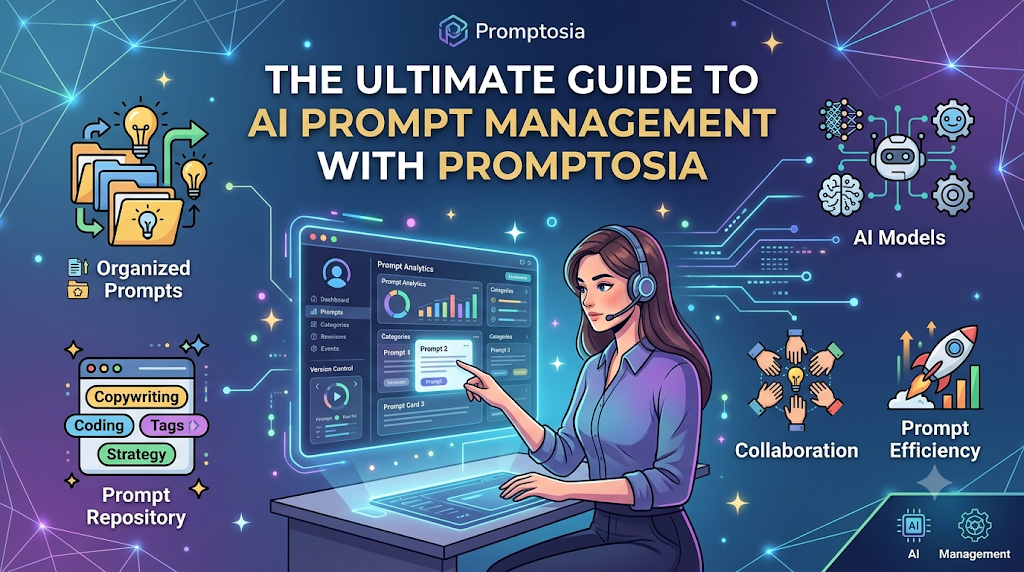
Introduction: Understanding Promptosia and AI Prompt Management
Have you ever spent twenty minutes fine-tuning an AI prompt until it gave you the exact answer you wanted, only to lose that prompt in a sea of long chat histories a week later? If so, you are far from alone. Millions of creators, developers, marketers, and professionals use artificial intelligence daily, but most of us still manage our best instructions using messy note apps, scattered documents, or plain memory.
That is where Promptosia steps in. Designed to turn scattered AI ideas into structured workflows, Promptosia is a modern platform that helps individuals and teams organize, refine, test, and store their valuable AI instructions. Instead of treating your best prompts like temporary disposable text, Promptosia allows you to build a structured digital library so you can reuse your most effective instructions anytime. Whether you are writing code, drafting articles, conducting research, or managing daily business tasks, having a dedicated hub for your AI instructions changes how you interact with artificial intelligence.
What Is an AI Prompt Management Tool?
An AI prompt is simply the instruction, question, or text you give to an artificial intelligence tool to get a specific response. As people rely more on tools like ChatGPT, Claude, or Midjourney, they quickly realize that the quality of the output depends heavily on the quality of the input. To get great results, users end up writing detailed, highly specific instructions.
However, as you use AI for different tasks—like writing emails, summarizing reports, or generating code—the number of prompts you rely on grows quickly. Without a dedicated system, tracking these instructions becomes chaotic.
An AI prompt management tool solves this problem by providing a central digital workspace designed specifically to store, organize, edit, and optimize your prompts. Rather than digging through old chat threads or searching endless text files, a prompt management platform gives you a clean system to store your instructions, refine them, and use them whenever you need them.
Why Building an AI Prompt Library Is Important
When you find a prompt that consistently produces great results, that instruction becomes a valuable digital asset. Losing it means wasting time trying to recreate the same phrasing later on.
Creating a structured AI prompt library gives you several immediate advantages:
- Centralized Storage: All your top-performing prompts live in one easy-to-search location rather than being spread across desktop sticky notes and chat histories.
- Instant Accessibility: You can quickly grab the exact prompt you need for a specific task without rewriting instructions from scratch.
- Consistency: Using proven prompts ensures that your AI-generated content maintains a consistent tone, structure, and quality every single time.
- Higher Productivity: When you spend less time re-typing background context and instructions, you complete your daily work much faster.
Treating your prompts as reusable tools rather than one-time messages is the easiest way to get more value out of AI.
How Promptosia Works as a Prompt Engineering Platform
Prompt engineering is simply the practice of structuring and refining text instructions so that an AI model gives you the most accurate and useful output possible. While it sounds technical, prompt engineering is really just about clear communication.
Promptosia operates as a full prompt engineering platform, supporting your prompts through their entire lifecycle:
[ Create ] ➔ [ Organize ] ➔ [ Optimize ] ➔ [ Test & Compare ] ➔ [ Version Control ] ➔ [ Reuse & Share ]
Instead of just saving static text, the platform allows you to continuously tweak your phrasing, test how different models react to your changes, track past edits, and share your top-performing templates with your team. By turning trial-and-error prompting into a predictable process, you can systematically improve the output of every AI tool you use.
Organizing Prompts With AI Prompt Organizer
When you have dozens or hundreds of prompts, saving them in a single long document becomes unmanageable. An effective AI prompt organizer gives you the tools you need to keep your library tidy and easy to navigate.
In Promptosia, you can:
- Create Custom Categories: Group your instructions by project, client, or topic (e.g., “Blog Writing,” “Python Coding,” “Customer Support”).
- Use Tags and Variables: Add custom search tags and placeholder variables (like
[Topic]or[Target Audience]) to make generic prompts easy to customize. - Search Instantly: Find any saved prompt in seconds using fast keyword search, eliminating manual scrolling through past chat logs.
- Manage Collections: Build distinct prompt collections for personal projects, academic research, or team projects.
Improving Instructions With AI Prompt Optimizer
A basic prompt like “Write a blog post about productivity” will usually give you a generic, uninspiring response. To get a detailed, high-quality article, you need to provide context, audience details, tone preferences, and formatting constraints.
If you aren’t sure how to make a basic prompt better, an AI prompt optimizer helps bridge the gap. By analyzing your initial idea, the optimizer adds clarity, specifies the desired output format, and inserts helpful context. This transforms simple ideas into detailed, structured instructions that produce far more accurate and consistent AI responses.
Understanding Prompts With AI Prompt Analyzer
Sometimes a prompt fails to produce good results, but it is hard to figure out why. Is the instruction too vague? Is the tone unclear? Did you forget to specify a output length?
An AI prompt analyzer examines the structural components of your prompt to highlight potential issues before you run it. It reviews key elements such as:
- Goal Clarity: Does the prompt clearly state what the AI is supposed to accomplish?
- Context and Constraints: Are there sufficient boundaries, such as length limits or formatting rules?
- Variable Placement: Are dynamic fields clearly separated from static instructions?
- Tone and Style Guidance: Is the expected voice (e.g., professional, casual, authoritative) explicitly mentioned?
By pinpointing weak spots, the analyzer helps you catch errors and refine your language for better performance.
Checking Prompt Quality Before Use
Before running a prompt on a critical work task, it is helpful to check whether the instruction meets basic quality standards. Using a built-in prompt quality checker allows you to score your instructions based on structural completeness, safety, clarity, and overall usability.
A quality check ensures your prompt includes:
- Clear, actionable language free from conflicting instructions.
- Proper formatting that the AI can parse easily.
- Explicit instructions on what not to include in the output.
- Well-defined placeholders for fast editing.
Scoring your prompts beforehand saves time by preventing poor outputs and reducing the need for back-and-forth edits with the AI.
Managing Prompt Improvements With Version Control
As you refine your prompts over time, you will inevitably make edits that don’t work out as planned. Without a history log, reverting to a previous phrasing can be difficult.
Using a dedicated prompt version control tool keeps a clear timeline of every change you make.
Version 1.0 (Initial draft)
     │
     ▼
Version 1.1 (Added tone constraints)
     │
     ▼
Version 2.0 (Added dynamic variables & output format) ◄-- [ Currently Active ]
Version history allows you to:
- Save past iterations automatically whenever you make updates.
- Compare older versions side-by-side with your current draft.
- Restore a previously successful version with a single click if a new edit fails.
- Track how a prompt has evolved as your requirements change.
Testing Different Prompt Results
Even small changes in word choice can dramatically alter an AI’s response. A reliable AI prompt testing tool lets you test different variations of a prompt side-by-side to see which version produces the best result.
Testing helps you compare:
- How different AI models handle the exact same prompt.
- How adding or removing background context alters the answer.
- Which formatting instructions yield the cleanest data layout.
By testing variations systematically, you take the guesswork out of prompt writing and build instructions based on proven results.
Reusing Successful Prompts With Templates
Once you craft a prompt that yields exceptional results, you shouldn’t have to rewrite it for future tasks. Turning your top prompts into reusable AI prompt templates lets you standardize your most common workflows.
Templates use dynamic brackets or variables—such as {Industry}, {Word Count}, or {Code Language}—allowing you or your team members to quickly plug in new details while keeping the core structure intact. This saves massive amounts of time during daily repetitive tasks while guaranteeing consistent quality across projects.
Promptosia Features Comparison Table
| Feature | What It Does | Primary Benefit |
|---|---|---|
| AI Prompt Library | Centralizes and stores useful prompts in one clean dashboard | Easy access and fast retrieval |
| Prompt Organizer | Groups prompts using custom tags, folders, and categories | Keeps your workspace structured |
| Prompt Optimizer | Enhances vague prompts with extra context and formatting rules | Produces richer AI responses |
| Prompt Analyzer | Scans prompt structure to identify missing information | Pinpoints weak spots quickly |
| Quality Checker | Scores overall prompt effectiveness, safety, and clarity | Prevents wasted AI generations |
| Version Control | Tracks past edits and maintains a detailed change log | Easy restoration of past versions |
| Prompt Testing | Compares outputs from different prompt variations side-by-side | Helps select the best phrasing |
| Templates | Converts top prompts into dynamic forms with variable fields | Speeds up routine, daily tasks |
Who Can Use Promptosia?
Promptosia is built to support anyone who relies on artificial intelligence to get work done.
Content Creators
Writers, bloggers, and social media managers can store prompts for outline generation, catchy headlines, content editing, and platform-specific formatting.
Developers
Programmers can organize coding prompts, debugging templates, code translation instructions, and API documentation queries to speed up software development.
Marketers
Marketing professionals can build reusable workflows for ad copywriting, email sequences, SEO meta descriptions, and customer persona creation.
Businesses and Teams
Teams can build a shared company library of approved prompts, ensuring brand voice consistency across customer support, sales outreach, and internal reports.
Students and Researchers
Academics and students can manage prompts designed for summarizing research papers, explaining complex concepts, formatting citations, and brainstorming essay outlines.
Key Benefits of Using Promptosia
- Saves Time: Eliminate minutes wasted searching for old prompts across chat logs and note apps.
- Keeps Prompts Organized: Maintain a clean workspace using folders, custom tags, and collections.
- Improves AI Output Quality: Turn basic, vague questions into structured, context-rich prompts.
- Encourages Team Collaboration: Share effective prompt templates across your organization.
- Makes Prompts Reusable: Turn one-off successes into permanent, adaptable workflow templates.
- Reduces Duplicate Work: Stop writing the exact same background context over and over again.
- Builds Standardized AI Workflows: Create reliable systems for routine writing, coding, and analysis.
Common Problems Without Prompt Management
Attempting to manage your AI instructions without a dedicated tool leads to several predictable frustration points:
- Losing Valuable Prompts: Spending twenty minutes tweaking an instruction, only for it to get buried deep in an old chat thread.
- Recreating the Wheel: Writing similar instructions from scratch every week because you forgot where you saved the original version.
- No Edit History: Modifying a great prompt, making it worse, and realizing you cannot recover the original phrasing.
- Inconsistent Output: Getting completely different results every time because your inputs lack standardized structure.
- Difficult Team Sharing: Copy-pasting prompts back and forth across Slack messages, emails, and word processors.
Using a dedicated prompt management system eliminates these pain points by turning your prompts into organized, reusable digital assets.
Frequently Asked Questions (FAQs)
What is an AI prompt management tool?
An AI prompt management tool is a specialized software application that helps users save, organize, refine, test, and reuse the instructions they send to artificial intelligence models.
Why do users need an AI prompt library?
An AI prompt library acts as a single, searchable storehouse for your best instructions. It prevents you from losing effective prompts and helps you reuse successful workflows without rewriting context every time.
How does Promptosia help organize prompts?
Promptosia lets you categorize prompts using custom folders, search tags, variables, and project collections, making it effortless to find the exact instruction you need in seconds.
What is a prompt engineering platform?
A prompt engineering platform is an end-to-end environment that supports the entire life cycle of an AI instruction—from initial creation, optimization, and quality testing, to version tracking and sharing.
How does an AI prompt optimizer improve prompts?
An AI prompt optimizer analyzes simple, basic instructions and adds necessary background context, role assignments, output formatting, and structural constraints to help the AI return much better answers.
What does an AI prompt analyzer check?
An AI prompt analyzer evaluates structural elements within your prompt, such as goal clarity, tone guidelines, variable usage, and output constraints, pointing out areas for improvement before execution.
Why is prompt version control important?
Prompt version control logs every update you make to an instruction. This allows you to track changes over time, compare performance across edits, and restore earlier effective versions whenever needed.
How do reusable AI prompt templates save time?
Reusable prompt templates allow you to insert variable placeholders (like topic, audience, or word count) into a proven structure, enabling you to generate tailored AI outputs rapidly without writing entire prompts from scratch.
Final Thoughts: Building Better AI Workflows With Organized Prompts
As artificial intelligence becomes an everyday part of modern work, knowing how to communicate with these systems efficiently is a essential skill. High-quality prompts lead directly to better answers, cleaner code, and more engaging content. However, writing great prompts is only half the battle—you also need a reliable way to save, organize, and refine them over time.
By treating your best instructions as valuable digital assets, you save time, reduce repetitive work, and get more consistent results from every AI model you use. Platforms like Promptosia make this process simple, giving creators, developers, and teams the tools they need to organize their instructions, optimize their language, and build smarter AI workflows for the long run.